Best Paid to Read Email With Retirement Plan

Wednesday, 30 January 2013

10 Awesome Photoshop Tutorials (32 Issues) – A Must-Have Tutorial

10 awesome
Once in a while, you chance upon something that is really good and this is definitely one of them.
One of the most awesome collection of tutorials I have ever found for Adobe Photoshop. More than 100 tutorials from 10 categories. From Best of the Best to Logo Designs, Web Page Layouts, 3D Objects, Mind Blowing Techniques, Business Cards, Photo Effects, Text Effects, Flame and Smoke, Glow Techniques, Color Correction Techniques and so much more, almost all aspects of great imaging and graphic design is covered, this is a must-have for Adobe Photoshop users – Maxdugan

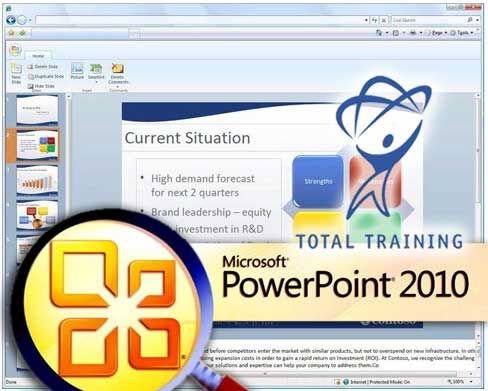
Total Training Microsoft PowerPoint 2010 Complete Video and Interactive Tutorial

total training powerpoint 2010
Whether we knew it or not, almost all of us have seen a PowerPoint presentation in one format or another. It is pervasive from the classroom to the boardroom and even our living room. In this series you will discover not only legacy and new features offered in PowerPoint 2010 but also ensure you know how to include good design, utilize appropriate content and deliver polished, memorable but not overwhelming presentations.

Beginners to Intermediate. 6.5 Hours. Exercise Files included. 

It’s this combination of skills and techniques that differentiates mediocre presentations and those some would rather bury than have to watch from those that effectively communicate, regardless of the audience or purpose.
This series will take you from start to finish covering presentation design, content creation, graphic and multimedia manipulation, animation and sharing, distribution and presentation options. If you’ve known PowerPoint in the past, there are a lot of new features in store! If you’re new to PowerPoint, prepare yourself for a whole new way to share your thoughts, ideas and experiences using this phenomenal presentation tool!
1. Go beyond pure PowerPoint techniques and learn the necessary design skills and presentation tips too
2. Create powerful, easy-to-update presentations using Masters, themes and layouts
3. Create engaging content using text, graphics, charts, tables, SmartArt and multimedia
4. Manipulate multimedia in ways you never imagined right from within PowerPoint!
5. Apply animations and transitions to keep focus, build anticipation and add just the right amount of “pop”
6. Configure your show or save the file in unique ways that offer flexibility in delivery

Chapter 1: GETTING STARTED WITH POWERPOINT 2010 (43 min)
1. Exploring the PowerPoint Interface
2. Creating Photo Albums
3. Views, Navigation & Keyboard Shortcuts
4. Setting Options & Saving Files

Chapter 2: SETTING UP THE PRESENTATION FILE (83 min)
1. PowerPoint Design Essentials
2. Setting Up a New File
3. Working with Slide Masters
4. Adding Masters
5. Changing Backgrounds
6. Con guring Placeholders & Bullets
7. Adjusting Placeholders
8. Adding Headers & Footers
9. Saving PowerPoint Templates

Chapter 3: WORKING WITH SLIDE TEXT (56 min)
1. Entering Text
2. Working with Outlines
3. Working with Text Boxes
4. Organizing Presentation Content
5. Leveraging Presentation Sections

Chapter 4: ENHANCING PRESENTATIONS WITH GRAPHICS (64 min)
1. Basic Image Manipulation
2. Advanced Image Tools
3. Getting Visual with SmartArt
4. Organizing with Tables
5. Getting Graphic with Charts
6. Using Existing Charts & Inserting Hyperlinks

Chapter 5: MANAGING MULTIMEDIA (24 min)
1. Working with Audio
2. Adding Video
3. Adjusting Video Settings

Chapter 6: ADDING ANIMATIONS & TRANSITIONS (43 min)
1. Using Animations
2. Animating with the Animation Pane & Painter
3. Using Motion Paths
4. Animating SmartArt & Charts
5. Using Transitions

Chapter 7: PREPARING FOR THE PRESENTATION (38 min)
1. Preparing with Notes
2. Collaborating with Others
3. Reviewing the Presentation
4. Setting Up a Slide Show
5. Setting Accurate Slide Timings
6. Con guring Custom Shows

Chapter 8: DELIVERING THE PRESENTATION (47 min)
1. Sharing & Protecting Files
2. Saving Files to Other Formats
3. Printing Presentation Materials
4. Delivering Your Presentation
5. Credits

Jetking PC Hardware Support Skills CD K0.9.9 – Interactive CD Tutorial

jetking pc hardware support skills
A dream course for anyone keen on learning the ropes of the Computer Hardware and Networking Industry, JCHNP Premium opens the doors to a large number of fulfilling and high paying careers. “With PC penetration, wide internet proliferation, an increase in local language and local content in information technology, companies will be looking for hardware engineers to keep their PCs working,” said Jetking’s CMD Suresh Bharwani. The most attractive part of the course is that it is designed to cater to even non-technical students providing them with hands- on training and easy techniques of learning.

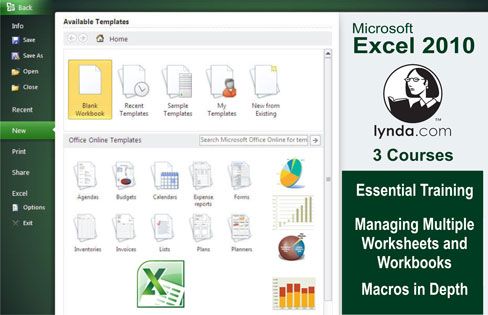
Lynda.com Excel 2010 Essential Training + 2 Extra Courses – Video Tutorials with Exercise Files

lynda excel 2010
1) Excel 2010 Essential Training
2) Managing Multiple Worksheets and Workbooks
3) Macros in Depth

Exercise Files are Included. See Course Descriptions and Outlines on next page.
In Excel 2010 Essential Training, Bob Flisser demonstrates the core features and tools in Excel 2010. The course introduces key Excel skills, shows how to utilize these skills with in-depth tutorials on Excel functions and spreadsheet formatting. It also covers prepping documents for printing, working with large worksheets and workbooks, collaborating with others, using Excel as a database, analyzing data, charting, and automating and customizing Excel. Exercise files are included with the course.
Copying and pasting techniques
Working with formulas and functions
Dealing with formula errors
Creating lookup tables
Naming cell ranges
Formatting data and worksheets
Finding and replacing data
Creating SmartArt diagrams
Creating charts and PivotTables
Recording macros
Sharing workbooks
Introduction
1. Getting Started
2. Worksheet Basics
3. Excel Formula Basics
4. Essential Formatting
5. Advanced Formatting
6. Printing Preparation
7. Large Excel Projects
8. Collaborating with Others
9. Exploring Excel’s Database Features
10. Analyzing Data
11. Advanced Analysis with PivotTables
12. Creating and Using Charts
13. Creating and Using Macros
14. Customizing Excel
Conclusion
Managing Multiple Worksheets and Workbooks, author Dennis Taylor shows how to share data between multiple worksheets and workbooks and gives tips for adding, moving, and navigating worksheets and workbooks efficiently. This course covers how to make global changes, create simple formulas that connect worksheets, make super-efficient 3D formulas to calculate summary totals from multiple worksheets, and use pivot tables to summarize data from multiple workbooks. Exercise files accompany the course.
Navigating across worksheets and workbooks
Displaying multiple worksheets or workbooks simultaneously
Inserting, deleting, moving, and copying sheets
Changing sheet names and tab colors
Showing and hiding worksheets
Creating linkage formulas among workbooks
Locating and managing links
Introduction
1. Mastering the Utility Tasks Associated with Multiple Worksheets
2. Working with Multiple Worksheets
3. Linking Worksheets with Formulas
4. Working with Multiple Workbooks
5. Linking Formulas Across Multiple Workbooks
Conclusion
Macros in Depth, author Dennis Taylor explains how macros can be used to automate tasks in Excel and walks through the process of creating and running simple macros. This course also covers advanced topics such as making macros widely available through the Personal Macro Workbook, recording a macro in stages, absolute and relative recording, and using Visual Basic for Applications (VBA) for actions that can’t be recorded. The course wraps up with a macro project that brings together each of the elements in a real-world scenario. Exercise files are included with the course.
Understanding what a macro does
Recording and adding functionality to a macro
Running macros
Creating non-recordable VBA code
Testing a macro in Step mode
Joining two macros
Using loop structures
Streamlining macros
Creating a Personal Macro Workbook
1. Getting Started
Understanding what a macro does
Reviewing macro examples
Understanding security
Reviewing the recording method
Understanding other techniques for macros
2. Running a Macro (Execute, Play Back, Etc.)
Running macros from the View tab
Running macros from a keyboard shortcut
Running macros from the Quick Access toolbar button
Running macros from an object or clip art
3. Using Visual Basic for Applications (VBA)
Introducing the VBA environment
Viewing the VBA components
4. Recording a Macro in Stages
Recording a simple macro
Adding functionality to a macro
5. Creating Non-Recordable VBA Code
Understanding absolute and relative references
Using For and For…Next statements
Using Do…While and Do…Until statements
Creating interactive macros
6. Macro Project: Converting a Mailing List into a Database List
Planning a macro
Recording partial code
Using loop structures in context
Testing a macro in Step mode
Pulling the data together
Joining two macros
Streamlining macros
7. The Personal Macro Workbook
Creating a personal macro workbook for macros with wide applicability
Closing and updating the personal macro workbook
Conclusion
.
LINKS ARE INTERCHANGEABLE
.
RAREFILE
http://www.rarefile.net/zim4kia5aef3/Lynda.Excel.3Courses.part01.rar
http://www.rarefile.net/8wi2zq7z0t60/Lynda.Excel.3Courses.part02.rar
http://www.rarefile.net/dnmjrmeqtqte/Lynda.Excel.3Courses.part03.rar
http://www.rarefile.net/3iplhuvf13dn/Lynda.Excel.3Courses.part04.rar
http://www.rarefile.net/2ykl7a1efmhb/Lynda.Excel.3Courses.part05.rar
http://www.rarefile.net/eidb8vn9vtdn/Lynda.Excel.3Courses.part06.rar
http://www.rarefile.net/eg55zpdet6q6/Lynda.Excel.3Courses.part07.rar
http://www.rarefile.net/tvf1exsraknl/Lynda.Excel.3Courses.part08.rar
http://www.rarefile.net/dg0q57gdiesi/Lynda.Excel.3Courses.part09.rar
http://www.rarefile.net/e6m04xezaqh2/Lynda.Excel.3Courses.part10.rar
.
EXTABIT
http://extabit.com/file/2dvr8j161iaih/Lynda.Excel.3Courses.part01.rar
http://extabit.com/file/2dvr8j161idl5/Lynda.Excel.3Courses.part02.rar
http://extabit.com/file/2dvr8j161hxwp/Lynda.Excel.3Courses.part03.rar
http://extabit.com/file/2dvr8j161hxx5/Lynda.Excel.3Courses.part04.rar
http://extabit.com/file/2dvr8j161i0zt/Lynda.Excel.3Courses.part05.rar
http://extabit.com/file/2dvr8j161j961/Lynda.Excel.3Courses.part06.rar
http://extabit.com/file/2dvr8j161j2y1/Lynda.Excel.3Courses.part07.rar
http://extabit.com/file/2dvr8j161j2yh/Lynda.Excel.3Courses.part08.rar
http://extabit.com/file/2dvr8j161in21/Lynda.Excel.3Courses.part09.rar
http://extabit.com/file/2dvr8j161iqbd/Lynda.Excel.3Courses.part10.rar

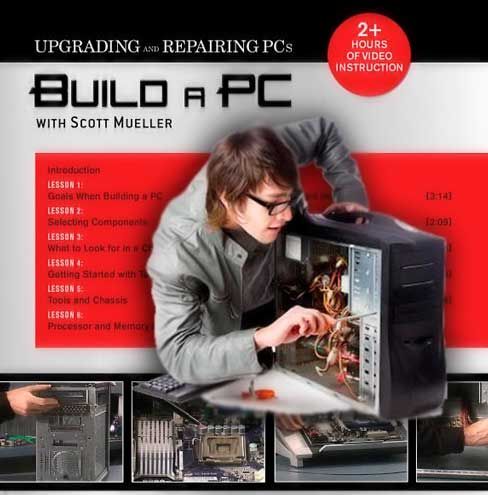
Build a PC Video Training Upgrading and Repairing PCs – Tutorial DVD

“Unlike some of the other reviewers, I found this DVD video met my expectations. It’s easy and simple to understand. My goal was to learn quickly and easily everything a neophyte needed to build a PC for the very first time. Based on the DVD video tutorial, I have just completed my first build (using the Intel Core2 Quad CPU recommended by Mueller), and it is working perfectly. I’m very pleased.”
build a pc
DVD features two hours of personal instruction on building your own PC from scratch! Watch, listen, and learn as world-renowned PC hardware expert Scott Mueller walks you through the guts of your PC. Scott shows you how to choose the right hardware and put it all together! Perfect for beginners, “Build a PC with Scott Mueller” is the video you will want to have by your side when building your first rig. Scott takes you under the hood to show you exactly how your PC works and how to build a PC right, the first time! PC building has never been this visual-or this easy!
In this DVD you will learn:
* Hardware 101! Scott shows you how to choose the right hardware for your new rig!
* Learn to decipher the technobabble used to describe PC hardware
* Watch as Scott shows you how to build a new PC. See how every part is installed!
* See how to properly power and cool your new PC
* Once your new PC is built, learn how to choose the right BIOS settings
* Tame those vexing front panel connectors!
.
RAREFILE
http://www.rarefile.net/mfs9o2tar9yc/Build.A.PC.part01.rar.html
http://www.rarefile.net/fnhs6p9qocsl/Build.A.PC.part02.rar.html
http://www.rarefile.net/gxpqfxkwb878/Build.A.PC.part03.rar.html
http://www.rarefile.net/ath8e1gfsw02/Build.A.PC.part04.rar.html
http://www.rarefile.net/sla4sbmm08k4/Build.A.PC.part05.rar.html
http://www.rarefile.net/ro4xtreinpc5/Build.A.PC.part06.rar.html
http://www.rarefile.net/rvo8en7x76bz/Build.A.PC.part07.rar.html
http://www.rarefile.net/yukr69fyxwz5/Build.A.PC.part08.rar.html
.
EXTABIT
http://extabit.com/file/27ax01sugdiww/Build.A.PC.part01.rar
http://extabit.com/file/27ax01sugdj0w/Build.A.PC.part02.rar
http://extabit.com/file/27ax01sugdixs/Build.A.PC.part03.rar
http://extabit.com/file/27ax01sugdm5c/Build.A.PC.part04.rar
http://extabit.com/file/27ax01sugdm5s/Build.A.PC.part05.rar
http://extabit.com/file/27ax01sugd39s/Build.A.PC.part06.rar
http://extabit.com/file/27ax01sugdcow/Build.A.PC.part07.rar
http://extabit.com/file/27ax01sugd35c/Build.A.PC.part08.rar

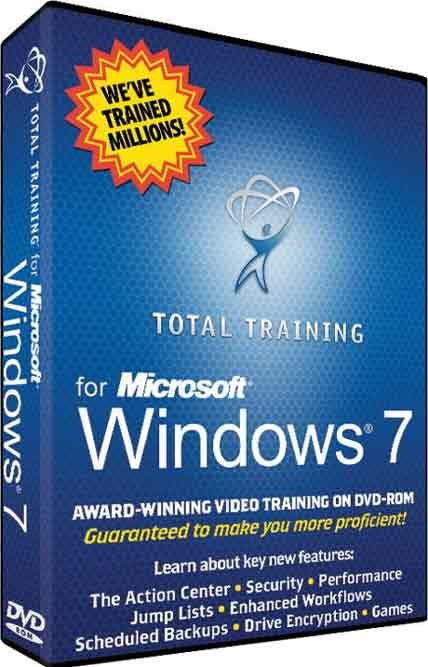
Total Training for Windows 7 – Interactive Video Tutorial with Exercise Files

AWARD-WINNING VIDEO TRAINING PROGRAM GUARANTEED TO MAKE YOU MORE WINDOWS 7 SAVVY AND MORE PROFICIENT IN USING THE OPERATING SYSTEM
windows 7 traning
Using a computer these days is a requirement. In order to use a PC without it becoming cumbersome and frustrating, you need to know it’s operating system and how to navigate, find, open, use and manage the system including its hardware, software and files. This course will review some of the old standby features and hone in on the numerous enhancements in this version. You’ll learn the tools to increase reliability, efficiency and security that will optimize the user experience as never before. You’ll also find out what jumping, shaking, snapping, streaming and BitLocking are. See next page for video contents.
* Discover Updated desktop options (themes, background, screen savers)
* See the revised taskbar in action (jumplists, live thumbnails, notification area)
* Learn centralized & simplified hardware & printer management
* One-stop for identifying and fixing maintenance, security and performance issues using the Action Center
* Integrated scheduled backup and easy drive encryption including BitLocker to Go for USB drives
Chapter 1: GETTING STARTED USING WINDOWS 7
1. Introducing Windows 7
2. A First Look at the Windows Desktop
3. Working with User Accounts
4. Users, Passwords & Permissions
5. Exploring Log O & Power Options
Chapter 2: CUSTOMIZING THE WINDOWS DESKTOP
1. Using Icons & Shortcuts
2. Adding Gadgets
3. Customizing Backgrounds & Window Appearance
4. Customizing Sounds, Screensavers & Icons
5. Changing Screen Resolution
Chapter 3: ACCESSING THE START MENU
1. Using Start Menu Options
2. Customizing the Start Menu
3. Finding Programs, Files & Settings
Chapter 4: EXPLORING THE REVISED TASK BAR
1. Customizing the Noti cation Area
2. Exploring Buttons on the Taskbar
3. Taking Advantage of Jump Lists
4. Setting Taskbar Properties
Chapter 5: OPTIMIZING THE WINDOWS USER EXPERIENCE
1. Moving & Sizing Windows
2. Window Navigation Using Breadcrumbs
3. Window Navigation & Customization
4. Accessing & Con guring Libraries
5. Organizing, Rating & Tagging Files
6. Indexing & Search Options
7. Searching for Files
8. Sharing Files & Folders
Chapter 6: EXAMINING HARDWARE & SOFTWARE
1. Viewing Devices & Printers
2. The Device Manager, Drivers & Power Management
3. Setting Default Actions & Programs
4. Installing & Uninstalling Software
5. Alternate Hardware & Software Tools: Touch
6. Speech Recognition
7. Live Essentials & Services
Chapter 7: ENJOYING MEDIA
1. Playing Audio & Video Using the Media Player
2. Ripping CDs & Creating Playlists
3. Experiencing the Next Level with the Windows Media Center
4. Tapping into the Windows 7 Gaming Experience
Chapter 8: CONNECTING TO A NETWORK
1. Networking Overview
2. Getting Started with Windows 7 Networking
3. Working with the Network Adaptor
4. Viewing the Network Map & Changing the Workgroup
5. Mapping a Network Drive
Chapter 9: MAINTAINING YOUR SYSTEM
1. Optimizing Performance
2. Using Troubleshooters & the Action Center
3. Using the Problem Steps Recorder
4. Keeping Current with Windows Update
Chapter 10: SECURING YOUR SYSTEM & DATA
1. Working with System Restore & Shadow Copies
2. Executing Backup & Restore
3. Implementing BitLocker & BitLocker To Go
4. Credits
EXERCISE FILES ARE INCLUDED.
.
LINKS ARE INTERCHANGEABLE
.
RAREFILE
http://www.rarefile.net/bz50r81hbgnt/W7.T.Traning.part01.rar
http://www.rarefile.net/w0vgw5nmvj9h/W7.T.Traning.part02.rar
http://www.rarefile.net/msjka36r8hf0/W7.T.Traning.part03.rar
http://www.rarefile.net/ef1nyqfhkxr0/W7.T.Traning.part04.rar
http://www.rarefile.net/irxkbrktkhg2/W7.T.Traning.part05.rar
http://www.rarefile.net/8gmhwvzbmnvc/W7.T.Traning.part06.rar
http://www.rarefile.net/v0jvll33uyfh/W7.T.Traning.part07.rar
http://www.rarefile.net/22xtmdaqb5jr/W7.T.Traning.part08.rar
.
EXTABIT
http://extabit.com/file/27ay7nh8owq7p/W7.T.Traning.part01.rar
http://extabit.com/file/27ay7nh8owgmt/W7.T.Traning.part02.rar
http://extabit.com/file/27ay7nh8owgrp/W7.T.Traning.part03.rar
http://extabit.com/file/27ay7nh8owac5/W7.T.Traning.part04.rar
http://extabit.com/file/27ay7nh8owacl/W7.T.Traning.part05.rar
http://extabit.com/file/27ay7nh8owaf9/W7.T.Traning.part06.rar
http://extabit.com/file/27ay7nh8owag5/W7.T.Traning.part07.rar
http://extabit.com/file/27ay7nh8owadh/W7.T.Traning.part08.rar

Tell Me More English v10 – All 10 Levels – Best Language Learning Software

Learn English in an interactive and engaging way with up to 10 levels and more than 40 different activities.
tell me more english
TELL ME MORE version 10 will allow you to master the English language and reach fluency, providing you with the most complete and extensive content to learn a language. TELL ME MORE English is the only English software that truly covers all of the skills used in learning English: not only reading, writing, listening, and speaking, but also grammar, vocabulary and culture.
The new TELL ME MORE version 10 is a true milestone in language learning. Developed by a team of language experts, TELL ME MORE leverages the renowned Communicative Approach, a methodology used in schools and universities around the world. Learn a language with TELL ME MORE and join more than 7 million users worldwide, including Fortune 500 companies, Global 1,000 companies, and more than 10,000 academic institutions and countless government agencies.
95% of learners have improved at least one level.*(Based on IDC Study)
The latest in speech recognition technology is included, giving you an even more effective way to assess your English pronunciation. You’ll improve your English conversation skills with interactive dialogues, graphs and 3D animated feedback features.
• Engaging videos will immerse you in everyday situations and real-life scenarios.
• Practice vocabulary with interactive dialogues and film dubbing activities.
• More than 40 different activities will enable you to speak in minutes.
• All the skills involved in learning a language are covered: reading, writing, listening, speaking, grammar, vocabulary, and culture.
• Cultural content allows you to immerse yourself in unique aspects of language and people.
• The new User Interface in TELL ME MORE version 10 includes clean lines, uncluttered screens, and intuitive icons to make language learning simple and fun.
• New Tracking Tools provide graphs, charts, and visual progress reports throughout the program.
2,000 hours of English learning and 10 different levels
TELL ME MORE® PERFORMANCE is the most comprehensive method on the market, allowing you to choose from 10 distinct levels of content, from Complete Beginner to Expert.
10,000 exercises
Covers all the skills to learn English: speaking and listening, reading and writing, grammar, vocabulary, and culture. Learn in an interactive way with dialogues, speech recognition and other cutting edge software.
The most powerful speech recognition technology on the market
TELL ME MORE PERFORMANCE includes the latest speech recognition technology, giving you the most effective way of assessing your pronunciation. You will improve your English conversational skills with graphs and 3D animations, while interactive dialogues with the computer make your English learning experience fun.
10 hours of video
Full immersion in the language and culture through cultural videos – or play the part of a character in the Role Play activity.
Real News Broadcasts
Experience a new TELL ME MORE lesson every week online, in partnership with EuroNews. In 30 minutes you will learn about a current news topic with video, vocabulary and grammar exercises incorporated directly into the broadcast.
Test your progress
At any time during the course, you can take a test to evaluate your progress.
Learn on the go with TELL ME MORE
-Continue your English learning wherever you go:
-On your PocketPC (MPEG videos, audio files, cultural texts, etc.)
-On your MP3 player (Including iPods and other MP3 devices)
-On audio CDs
-On printable vocabulary lists and grammatical explanations
Download the files, extract and burn it on DVD using an PowerISO, execute from DVD to install.

.
LINKS ARE INTERCHANGEABLE
.
RAREFILE
http://www.rarefile.net/gvjwcdr18t6j/TMMEnglish.part01.rar
http://www.rarefile.net/nf2l0kn8sbe4/TMMEnglish.part02.rar
http://www.rarefile.net/67p3ibylgba3/TMMEnglish.part03.rar
http://www.rarefile.net/wc8dfdftptsp/TMMEnglish.part04.rar
http://www.rarefile.net/8o544giz1ol0/TMMEnglish.part05.rar
http://www.rarefile.net/m42cysg3i5f6/TMMEnglish.part06.rar
http://www.rarefile.net/cmpacxredxnu/TMMEnglish.part07.rar
http://www.rarefile.net/xcxbgcbe7doo/TMMEnglish.part08.rar
http://www.rarefile.net/8pj7kh9vc3l1/TMMEnglish.part09.rar
http://www.rarefile.net/n6jhdrbpj35e/TMMEnglish.part10.rar
http://www.rarefile.net/or5aqg8c6o76/TMMEnglish.part11.rar
http://www.rarefile.net/upz1peqatkey/TMMEnglish.part12.rar
.
EXTABIT
http://extabit.com/file/27axipix69yol/TMMEnglish.part01.rar
http://extabit.com/file/27axipix69yp1/TMMEnglish.part02.rar
http://extabit.com/file/27axipix69ymd/TMMEnglish.part03.rar
http://extabit.com/file/27axipix69ymt/TMMEnglish.part04.rar
http://extabit.com/file/27axipix69s9x/TMMEnglish.part05.rar
http://extabit.com/file/27axipix69s7p/TMMEnglish.part06.rar
http://extabit.com/file/27axipix69s85/TMMEnglish.part07.rar
http://extabit.com/file/27axipix69s8l/TMMEnglish.part08.rar
http://extabit.com/file/27axipix69scl/TMMEnglish.part09.rar
http://extabit.com/file/27axipix69sd1/TMMEnglish.part10.rar
http://extabit.com/file/27axipix69lyt/TMMEnglish.part11.rar
http://extabit.com/file/27axipix69lwl/TMMEnglish.part12.rar
.
NETLOAD
http://www.netload.in/dateiB1lIu74pzj/TMMEnglish.part01.rar.htm
http://www.netload.in/dateirm0U9nHDVS/TMMEnglish.part02.rar.htm
http://www.netload.in/datei8rwI9xcLvW/TMMEnglish.part03.rar.htm
http://www.netload.in/dateiW234nRTrEN/TMMEnglish.part04.rar.htm
http://www.netload.in/dateiodxfoU1o66/TMMEnglish.part04.rar.htm
http://www.netload.in/dateioYX7pbSglj/TMMEnglish.part05.rar.htm
http://www.netload.in/dateiTF1IvbObne/TMMEnglish.part06.rar.htm
http://www.netload.in/dateiupiAw1aJrC/TMMEnglish.part07.rar.htm
http://www.netload.in/dateiRG47VtrE2I/TMMEnglish.part08.rar.htm
http://www.netload.in/dateiB8aYlCunrp/TMMEnglish.part09.rar.htm
http://www.netload.in/datei5RAICpxgfc/TMMEnglish.part10.rar.htm
http://www.netload.in/dateipZByqGLSNP/TMMEnglish.part11.rar.htm
http://www.netload.in/dateicnSS9xYvpT/TMMEnglish.part12.rar.htm

Cambridge Grammar of English – Interactive Tutorial Software

This is the most significant software to be published in the field of grammar for a very long time. Nothing compares with it; it is groundbreaking and in a word exceptional.
cambridge grammar of english
Cambridge Grammar of English is a “must-have” for any serious learner or user of the English language. Using ground-breaking language research, it offers clear explanations of spoken and written English based on real everyday usage.
A clear 2-part structure make it particularly user-friendly and it has won the prestigious British Council Innovation Award.
A major new reference grammar offering the most comprehensive and up-to-date coverage of spoken and written English based on real everyday usage. A major reference grammar from the world’s leading grammar publisher. It offers clear explanations of spoken and written English based on real everyday usage. The clear two-part structure makes the book particularly user-friendly. The accompanying CD-ROM makes the Cambridge Grammar of English even more accessible with: • The whole book in handy, searchable format. • Audio recordings of all the examples from the book. • Links to the Cambridge Advanced Learner’s Dictionary online for instant definitions of new vocabulary.
.
I think that if you burn the CD, there will be no problems if you install it from your FIRST CD/DVD drive, otherwise it will fail. For those that store images of CDs in DVD-Rs, and mount them as needed, there are two possible solutions:
Method 1:
1) Unpack files from archive;
2) Switch off your physical CD and/or DVD drive(s) (Start -> Control panel -> Service and Performance -> System -> Accessories -> Device Manager -> ‘your CD-ROM’ -> Properties -> Switch off) or (My Computer -> Properties -> Hardware -> Device Manager -> ‘your CD-ROM’ -> Properties -> Switch off);
3) Mount MDS file with the help of Alcohol program or Daemon Tools. (If you use Daemon Tools you need to run ProtStop or YASU program to hide emulation drive!), standard mounting programs (like WinMount) will not work;
4) Install CGE program as usual and run it;
5) Switch on your CD and/or DVD drive(s);
Now you can use CGE without any CDs.
Method 2: (USE THE CRACK)
1) Unpack files from archive
2) Mount MDS file with any disk mounting program
3) Install CGE
4) Overwrite CGE.EXE in installation directory with the one supplied from the Crack (which is a NoCD version)
.
http://www.rarefile.net/vamrs17r05ve/Cambridge.Grammar.Crack.rar
http://www.rarefile.net/85ucuuj1dlg5/Cambridge.Grammar.part1.rar
http://www.rarefile.net/jjms8uiysomf/Cambridge.Grammar.part2.rar
http://www.rarefile.net/fxsyg9opbyl5/Cambridge.Grammar.part3.rar

Learn to Speak English Deluxe 10 – Interactive Tutorial

Trying to learn English? Learn to Speak English 10 software is an all-inclusive language program that uses a wealth of instructional techniques to help you learn English. It includes lessons in vocabulary, grammar, and conversation (both verbal and written), and provides plenty of practice, drill and review in each of these areas.
learn to speak english deluxe
Unlike most language software programs, Learn to Speak? English teaches the language from the ground up. It not only immerses the user in the language, but it provides extensive grammar lessons as well. The course is equivalent to a 2-year college course in English! Each Lesson contains a vocabulary list, story, dialogue, grammar topic, conversation lab, and exercises. Also included are fun games to break the monotony while strengthening and reinforcing learning. Speech recognition technology allows users to test their knowledge and perfect their accents with immediate feedback from the computer.
Included with the Learn to Speak:
English software is a 115-page workbook for practicing away from the computer.
What is the Best Way to Learn English? In order to truly learn English, you must learn to do four things:
* Learn English grammar
* Learn English vocabulary
* Be able to listen to and comprehend the English language
* To be understood by others when you speak English
Learn to Speak? English is designed with these four things in mind. Unlike many other language software programs, Learn to Speak? English does much more than help you memorize words. Using a step-by-step process, you learn both vocabulary and grammar rules. Then, using the speech recognition technology, you can test your proficiency in speaking and understanding English.
Learn to Speak English 10 includes the following features:
* 40 Lessons
* Speech Recognition
* Games & Crossword Puzzles
* Audio Course
* iPOD and MP3 Lessons
* Printed Reference Book
* Personalized Lesson Plans
* Diagnostic Pre test
* Practice Workshops
* Advanced Online Courses
* Online Cultural Resources
* PDA Dictionary
* Printable exercises
* 1 convenient DVD-ROM
* Bonus MP3 Audio Tour
.
LINKS ARE INTERCHANGEABLE
.
RAREFILE
http://www.rarefile.net/peilpe4duqzz/English.Del.10.part01.rar
http://www.rarefile.net/lgis4o8sa74s/English.Del.10.part02.rar
http://www.rarefile.net/3v89dx2ayz4w/English.Del.10.part03.rar
http://www.rarefile.net/eel5al6w1qp8/English.Del.10.part04.rar
http://www.rarefile.net/pfbxdvwfozno/English.Del.10.part05.rar
http://www.rarefile.net/u52ajbd5n5pb/English.Del.10.part06.rar
http://www.rarefile.net/o4yuirvl0ap7/English.Del.10.part07.rar
http://www.rarefile.net/ewb0gux4fbtg/English.Del.10.part08.rar
http://www.rarefile.net/8kbwty8dvero/English.Del.10.part09.rar
http://www.rarefile.net/xg8g2usaemzr/English.Del.10.part10.rar
http://www.rarefile.net/8k1exd6ho7x8/English.Del.10.part11.rar
.
EXTABIT
http://extabit.com/file/2al9n1a62zyek/English.Del.10.part01.rar
http://extabit.com/file/2al9n1a62zye4/English.Del.10.part02.rar
http://extabit.com/file/2al9n1a6304os/English.Del.10.part03.rar
http://extabit.com/file/2al9n1a62d7nw/English.Del.10.part04.rar
http://extabit.com/file/2al9n1a6304p8/English.Del.10.part05.rar
http://extabit.com/file/2al9n1a62zyd8/English.Del.10.part06.rar
http://extabit.com/file/2al9n1a62zydo/English.Del.10.part07.rar
http://extabit.com/file/2al9n1a62d7t8/English.Del.10.part08.rar
http://extabit.com/file/2al9n1a62zv7g/English.Del.10.part09.rar
http://extabit.com/file/2al9n1a62dax8/English.Del.10.part10.rar
http://extabit.com/file/2al9n1a62d7sc/English.Del.10.part11.rar

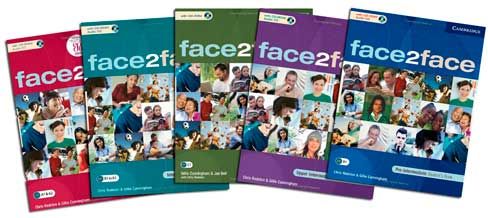
Face2Face Cambridge English Course (Full Series) – Interactive Tutorial

face2face
Includes Audio Files, eBooks, Workbooks, Guides and CD.
Face2Face is a general English course for students who want to learn how to communicate quickly and effectively in an English-speaking environment. It combines the best in current EFL methodology with innovative new features designed to make learning and teaching easier. There is a strong emphasis on speaking and listening throughout the course, and the practice activities in each lesson provide frequent opportunities for realistic, natural interaction. The course seeks to fully engage the students at every stage of the lesson, and its approach to new language draws on what students have already learned and encourages them to work out rules of grammar and usage themselves. We believe that face2face provides the right balance of topics, language and activities that students and teachers want from a course in today’s world.
Why students like face2face
* Innovative Help with Listening sections teach students how to understand spoken English
* Free CD-ROM/Audio CD provides extra practice of grammar, vocabulary, listening and pronunciation lessons
* Original, fresh angles on universal topics that students want to talk about
* ‘Little and often’ approach to new language means students are never overloaded
* Speaking activities focus on both accuracy and fluency
* Get ready … Get it right! sections give structured preparation time for larger speaking tasks
* Guided discovery approach to new language helps students work out rules for themselves
* Numerous opportunities for communicative, personalised speaking practice in each lesson
* Extended Real World lessons help students survive in English-speaking situations
* Progress Portfolios allow students to evaluate their language learning
.
LINKS ARE INTERCHANGEABLE
.
RAREFILE
http://www.rarefile.net/vxd1xf3pgsx8/Face2Face.Cambridge.part01.rar
http://www.rarefile.net/6zacpgek5wfc/Face2Face.Cambridge.part02.rar
http://www.rarefile.net/70u2aif1e9gh/Face2Face.Cambridge.part03.rar
http://www.rarefile.net/l50gkhs7c4ae/Face2Face.Cambridge.part04.rar
http://www.rarefile.net/mr3p1ryyp7om/Face2Face.Cambridge.part05.rar
http://www.rarefile.net/stgfw1yo3as7/Face2Face.Cambridge.part06.rar
http://www.rarefile.net/au1op74ni26c/Face2Face.Cambridge.part07.rar
http://www.rarefile.net/ei4c9fy8pia6/Face2Face.Cambridge.part08.rar
http://www.rarefile.net/2vl5uzmzuvvb/Face2Face.Cambridge.part09.rar
http://www.rarefile.net/c8iudu877nq6/Face2Face.Cambridge.part10.rar
.
EXTABIT
http://extabit.com/file/27axccmbrzuxf/Face2Face.Cambridge.part01.rar
http://extabit.com/file/27axccmbrzuyr/Face2Face.Cambridge.part02.rar
http://extabit.com/file/27axccmbrzy6b/Face2Face.Cambridge.part03.rar
http://extabit.com/file/27axccmbrzy4j/Face2Face.Cambridge.part04.rar
http://extabit.com/file/27axccmbrc8vn/Face2Face.Cambridge.part05.rar
http://extabit.com/file/27axccmbrzrur/Face2Face.Cambridge.part06.rar
http://extabit.com/file/27axccmbrzi83/Face2Face.Cambridge.part07.rar
http://extabit.com/file/27axccmbrzrpv/Face2Face.Cambridge.part08.rar
http://extabit.com/file/27axccmbrzrs3/Face2Face.Cambridge.part09.rar
http://extabit.com/file/27axccmbrzi8j/Face2Face.Cambridge.part10.rar

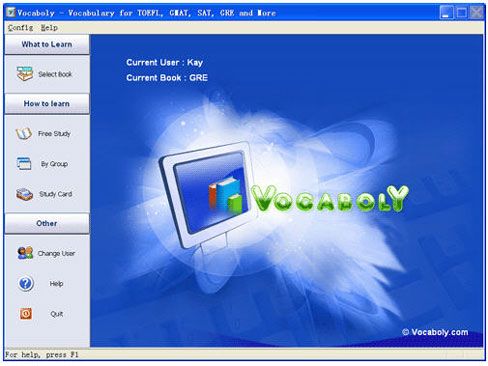
Vocaboly 2.1 – Award Winning Vocabulary Builder

vocaboly
Build your vocabulary in a fun and unique way with Vocaboly – award-winning vocabulary building software! Vocaboly is a vocabulary builder software for SAT, TOEFL, GRE, GMAT and general vocabulary. Vocaboly contains five books: SAT, TOEFL, GRE, GMAT and VOA Special English, with more than 12,000 words, each word provided with meaning, phonetic symbol and pronunciation. 

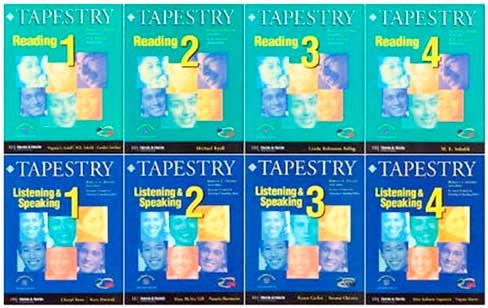
Tapestry – Reading eBooks, Listening & Speaking eBooks and Audio CDs

tapestry
Tapestry is the first multi-skills English Language Teaching  series. Tapestry Listening & Speaking prepares students to become successful, independent learners through: engaging communicative work, motivating activities, Language Learning Strategies, Academic Power Strategies, and interactive web site.
* Setting Goals focuses students attention on the learning they will do each chapter.
* The topic-related Culture Notes increase students¿ understanding of the finer points of the language and culture, and help learners acclimate to life in an English-speaking country.
* A variety of speaking activities, such as role plays, skits, debates, and presentations, provide opportunities for students to use vocabulary, language functions, and knowledge of content area.
* Reading and writing are integrated through a variety of on-topic activities, increasing students¿ overall fluency.
* Academic Power Strategies give students the knowledge and skills to become successful, independent learners.
* For a well-integrated curriculum, try the Tapestry, Middle East Edition, Reading series and the Tapestry, Middle East Edition, Writing series, also from Thomson Heinle.
* Language Learning Strategies help students maximize their learning and become proficient in English.
* Tapestry Threads provide students with interesting facts and quotes that jumpstart classroom discussions.
* Engaging listening sections provide authentic news broadcasts, interviews, conversations, debates, and stories.
* The Sound of It refines listening, speaking, and pronunciation skills, and helps students gain confidence communicating in English.
* Apply the Strategy activities encourage students to take charge of their learning and use their new skills and strategies.
* Test-Taking Tips offer students practical steps for improving their test results. Check Your Progress helps students monitor their own progress.
.
LINKS ARE INTERCHANGEABLE
.
RAREFILE
http://www.rarefile.net/ylemwwuw209m/Tapestry.part1.rar
http://www.rarefile.net/ic4qkd8htt56/Tapestry.part2.rar
http://www.rarefile.net/ahteiowxwri0/Tapestry.part3.rar
.
EXTABIT
http://extabit.com/file/27ay7kv627f43/Tapestry.part1.rar
http://extabit.com/file/27ay7kv627f37/Tapestry.part2.rar
http://extabit.com/file/27ay7kv627f3n/Tapestry.part3.rar

Basic Vocabulary in Use – Tutorial eBook and AudioBook

basic vocabulary
An excellent bridge for students who want to develop their English beyond the picture-dictionary or phrase-book stage, this text helps beginning students gain basic fluency in using the language. There are sixty units that cover approximately 1,200 new vocabulary items. Firmly based on current vocabulary acquisition theory, Basic Vocabulary in Use promotes good learning habits and teaches students how to discover rules for using vocabulary correctly.
Download Link:

New American Streamline Departures

New American Streamline Connections

English Book - The Ama Handbook Of Business Letters

Fluent English Complete Course with Audio CD

Telephone English Book & CD

English Book - Basic Grammar in use Book 1&2

English Pronunciation Made Simple Book + 2 CDs

make money